How Cities: Skylines uses a stock-market analogy to drive almost everything in the game
Updated: 19 May 2026
Revisited 5 years later and did another pass over the decompilation.
- Describe how busier landfill sites compete less for new offers.
- Describe the
TransferOfferbit-packing layout and the total memory cost of the array. - Explain vestigial
m_outgoingAmountmember, theGetFrameReasonrota, and theActive/Exclude/Unlimitedflags. - Use game-unit radius for distance discussion.
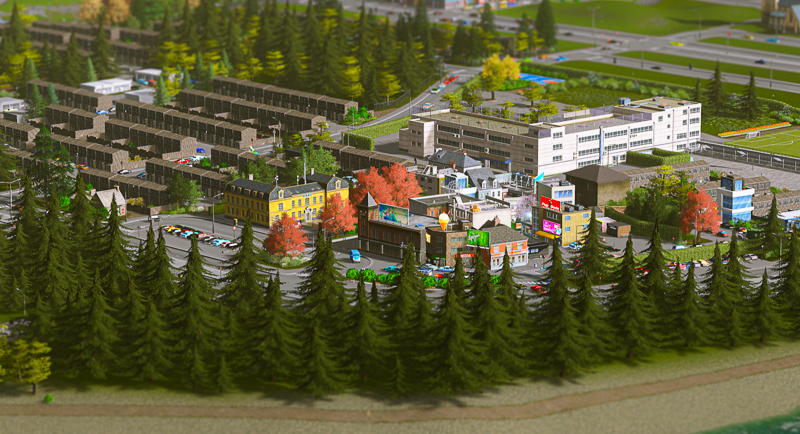
I wanted to find out how Cities: Skylines drives the constant motion you see in a growing city - residents looking for jobs, tourists visiting attractions, garbage trucks doing their rounds, even cims looking for love - and I couldn’t find much written up about it. So I decompiled the game and dug in. What I found is that almost every interaction in the game runs through a single, elegant system: a stock-market-style trading market.
The basics#
In a (simplified) stock market, there are “buy” and “sell” offers, with a middleman between the two to connect them together. Whenever you see a person, or vehicle, moving from one place to another in Cities: Skylines, it’s often due to a TransferOffer going through the TransferManager (our “market”). Buildings, vehicles, and cities can list offers to “buy”/“sell” certain things which, once they’re matched with the other side of the deal, results in it being delivered or collected.
Offers get listed with a TransferReason, a priority and an amount. Priority is used as a way of ranking offers, and the amount is self-explanatory. The TransferReason can be something tangible like Oil, or Coal, for an industrial business, but it could also be Fire for a burning building, Crime if the police are needed, or even Partner for when a cim is looking for love. There are plenty of other types too: hearses, garbage collection, schools and shopping are just some of these.
The information in this post comes from reverse engineering Cities: Skylines and reading the decompiled code. The snippets are close to what’s shipped with the game, with some renaming and removing of less relevant parts to make this post clearer. If you have a copy of the game, and want to take a look yourself, the Cities: Skylines Modding Guide has a great introduction.
Taking out the trash#
Let’s take a look at how garbage collection works to get an understanding of this transfer system from the outside before digging in.
The CommonBuildingAI class has a method HandleCommonConsumption, called from a building’s SimulationStep, which tallies up electricity, garbage, water use, and so on. Garbage steadily accumulates into the building’s m_garbageBuffer (the rate is just a number derived from building type, level, district policies and a few other factors).
Each simulation step, if the buffer has reached at least 200 and a 1-in-5 dice roll comes up and the player has unlocked garbage collection, the building considers putting its garbage up for collection.
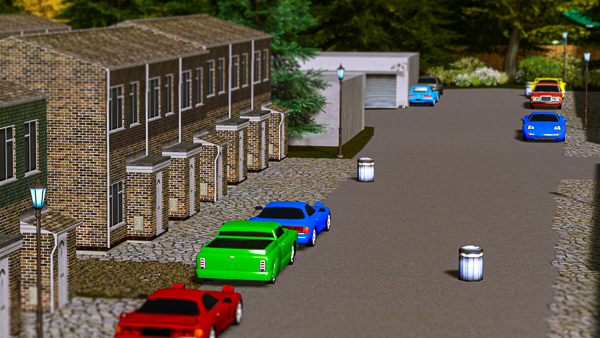
Before it does, it looks through its guest vehicles (m_guestVehicles) and adds up the free space on any already coming to carry TransferReason.Garbage - i.e. garbage trucks that are already en route but haven’t arrived yet. That inbound capacity is subtracted from the buffer, and only if at least 200 garbage still needs collecting does it list a “sell offer” with AddOutgoingOffer (the building is selling its garbage):
Singleton<TransferManager>.instance.AddOutgoingOffer(
      TransferManager.TransferReason.Garbage,
      new TransferManager.TransferOffer() {
            Priority = remaining / 1000,
            Building = buildingID,
            Position = data.m_position,
            Amount = 1
      }
);
Only a single “unit” is ever requested (hence the Amount of 1) - but that 1 isn’t one unit of garbage. Amount is a count of transactions: it means “match me with one collection”, i.e. send one truck. How much garbage actually leaves is decided later, separately - when the truck arrives, it loads up to its own cargo capacity from whatever is in m_garbageBuffer at the time. So a building sitting on 200 garbage, and one buried under 60,000 both post the same offer; each gets one truck, and the truck takes as much as it can carry. If garbage is left over, the buffer is still above the threshold at the next step, so the building just lists another Amount = 1 offer and another truck comes. A big backlog is drained over many steps, rather than one truck clearing it in a single heroic haul.
The size of the problem isn’t expressed through Amount at all; it rides on Priority (remaining / 1000), so a building drowning in garbage outbids a tiny one and wins collections on more steps. Asking for just one truck at a time, over and over, is the same metering instinct as subtracting the inbound trucks above - a theme we’ll see again, more loudly, on the landfill side.
Looking for trash to collect#
With our garbage proudly listed for sale, we need to find a buyer - and the city’s landfill site is interested.
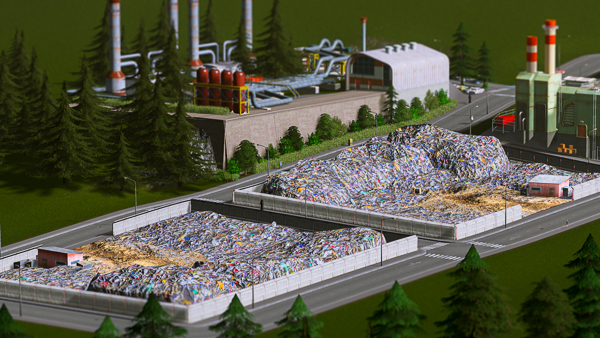
The AI for this building lives in LandfillSiteAI. Its ProduceGoods method (called from PlayerBuildingAI.SimulationStep) starts by looking through its own vehicles (m_ownVehicles) and counting those currently out carrying TransferReason.Garbage. Note that it inspects its own vehicles here, not its guest vehicles as the building did above - because those “guest” vehicles the building saw were actually trucks belonging to this landfill site, dispatched and already en route for pickup.
After some more logic around remaining garbage capacity, if the landfill is in a state to take on more collection it lists an incoming TransferOffer:
Singleton<TransferManager>.instance.AddIncomingOffer(
      TransferManager.TransferReason.Garbage,
      new TransferManager.TransferOffer() {
            Priority = 2 - ownedGarbageTruckCount,
            Building = buildingID,
            Position = buildingData.m_position,
            Amount = 1,
            Active = true
      }
);
The priority is 2 - ownedGarbageTruckCount, so the more trucks a landfill already has out collecting, the lower the priority of its request - dropping to 0 once it has two trucks on the road. It can’t go below 0: TransferOffer.Priority isn’t a plain field, but a property packed into four bits of a flags integer. Its setter runs Mathf.Clamp(value, 0, 7), so a -1 is clamped to 0 the moment it’s assigned (and, symmetrically, a priority above 7 is clamped down to 7).
Why design it like that? The key is the Active = true on an incoming offer. As we’ll see when we get to the matching algorithm, the active side of a match is the one that acts on it - and here, matching this offer is precisely what makes the landfill physically dispatch a truck. So 2 - ownedGarbageTruckCount is the landfill throttling itself. Every truck it already has out makes it bid more quietly for the next job.
Why a landfill deliberately bidding quietly when it’s busy is a good thing will become clear once we see how offers are actually matched - so we’ll come back to it there. The short version: it lets idle landfills outbid busy ones, spreading collection across every site with spare capacity instead of dogpiling the nearest one.
How offers get stored#
The TransferManager class stores incoming and outgoing offers separately, but the structures are identical for each. There’s an m_incoming* mirror for every m_outgoing* array described here. This chapter talks about outgoing offers.
All outgoing offers (for every TransferReason) are stored in a single massive array, TransferOffer[] m_outgoingOffers, of 262,144 items - that’s 128 reason slots × 8 priority levels × 256 offers per block. It’s effectively divided into “blocks” of 256, with each representing one specific combination of TransferReason and priority. So there can be up to 256 offers for TransferReason.Garbage at priority 0, all stored together, just before the block for Garbage at priority 1, and so on.
[
      /* [block 0] 0 - 255: TransferReason.Garbage, Priority 0 */,
      /* [block 1] 256 - 511: TransferReason.Garbage, Priority 1 */,
      /* [block 2] 512 - 767: TransferReason.Garbage, Priority 2 */,
      /* ... */
      /* [block 805] 206,080 - 206,335: TransferReason.PlanedTimber, Priority 5 */,
      /* [block 806] 206,336 - 206,591: TransferReason.PlanedTimber, Priority 6 */,
      /* ... */
]
This pattern repeats for all reasons and priorities. The block number is (int) (reason * 8) + priority. The array has room for 128 reasons (0 to 127).
Each of those 262,144 slots is deliberately tiny, which is what makes an array that big affordable. A TransferOffer is essentially a single 32-bit integer plus an instance handle and a byte: Active, Exclude and Unlimited are one bit each, plus a fourth flag bit (FLAG_LARGE_POS) that selects how the position is decoded (more on that in “How close is close enough?”); Priority is a 4-bit field (clamped to 0-7, as we saw earlier), Amount is an 8-bit field (clamped to 0-255), and the X and Z position get one byte each (we’ll come back to this in “How close is close enough?”). That accounts for all 32 bits: 4 flags, 4 for priority, 8 for amount, 8 for each X and Z.
Because both arrays are allocated up front at full size, a completely saturated market - every one of the 128 reasons × 8 priorities × 256 slots full, on both the incoming and outgoing sides, all 524,288 offers at once - costs no more memory than an empty one: 2 × 262,144 × 12 bytes, about 6 MB (the raw fields are only 9 bytes, but alignment rounds each slot up to 12). For a system that drives nearly every interaction in the game, that’s almost nothing.
Two more arrays track offers - but note they are not indexed in the same way:
ushort[] m_outgoingCount(size 1024 = 128 reasons × 8 priorities) holds the current number of offers per(reason, priority)block. This also serves as the insertion offset: it points to the next free slot in that block.int[] m_outgoingAmount(size 128) holds a single running total perreason, summed across all 8 priority levels. It’s maintained on add/remove and serialized to save files - but no code ever reads it. This seems to be vestigial code, most likely left over from a cut feature or telemetry.
An offer is inserted at its own priority if there’s space; otherwise the system walks down through lower priorities looking for a block with room. If every block from the requested priority down to 0 is full (256 each), the loop ends and the offer is silently discarded.
public void AddOutgoingOffer(TransferReason reason, TransferOffer offer) {
  for (int priority = offer.Priority; priority >= 0; --priority) {
    int offerBlock = (int) (reason * 8) + priority;
    int offset = (int) this.m_outgoingCount[offerBlock];

    if (offset < 256) {
      this.m_outgoingOffers[(offerBlock * 256) + offset] = offer;
      this.m_outgoingCount[offerBlock] = (ushort) (offset + 1);
      this.m_outgoingAmount[(int) reason] += offer.Amount;
      break;
    }
  }
}
Matching offers together#
Both the incoming and outgoing offers have been passed to the TransferManager class, so it’s time to take a look and see what happens to match these two together and ensure the garbage gets collected. Each simulation step, the manager matches all offers for just one TransferReason. Which one is decided by currentFrameIndex & 0xFF fed through GetFrameReason - a fixed 256-frame rota where only certain slots map to a reason and the rest resolve to None and do nothing. So every reason gets its turn exactly once per 256 simulation frames, at its own fixed slot (Garbage at index 3, Crime at 67, and so on). That gives matching an inherent latency: a freshly-listed offer can wait up to a full cycle before its reason comes round, no matter how close an ideal partner already is.
First, the optimal distance for the given TransferReason is calculated. Each reason has a specific optimal distance, and any offer under this distance will be chosen. See section “How close is close enough?” at the end for more on this.
Starting with a priority p of 7 and working down to 0, the offers are matched in blocks. For a given block, the first incoming offer is matched, then the first outgoing, then the second incoming, and so on, until all offers in that block have been matched. The priority is then decreased a level and the next block is matched, and this process repeats down the priority levels until all offers for this TransferReason have been matched.
As in the previous section, matching offers is done separately for incoming/outgoing but it’s really the same process just backwards, so I’ll only show the outgoing flow here.
The outgoing offer is retrieved using the block index and the i value that we’re using to iterate through that block. Then a lower priority bound is calculated as Mathf.Max(0, 2 - p). A priority-7 offer searches partners all the way down to priority 0; a priority-2 offer searches down to 0; a priority-1 offer only looks within its own level. Priority 0 is the interesting case: its bound is 2, and a loop walking down from 0 to 2 never runs even once - so a priority-0 offer never initiates a match at all. It can only be matched passively, when an offer of priority 2 or higher on the other side of the deal reaches down and picks it. Higher priorities get strictly more candidates; the lowest gets none of its own and simply waits to be chosen.
This is the other half of the landfill puzzle from earlier. A landfill that has put enough trucks on the road to clamp its incoming offer to priority 0 stops soliciting work entirely - it no longer reaches out to match a garbage offer itself. It only collects again when a building’s garbage pile has grown enough to raise that offer’s priority high enough to come looking for the landfill. So 2 - ownedGarbageTruckCount doesn’t merely lower a busy landfill’s odds; once it bottoms out it removes the landfill as an initiator, which is exactly what hands the next pickup to an idle site.
TransferOffer outgoingOffer = m_outgoingOffers[(offerBlock * 256) + i];
int lowerPriorityBound = Mathf.Max(0, 2 - p);
An offer flagged Exclude tightens this floor to Mathf.Max(0, 3 - p) and refuses partners below it - the game uses this to stop, for example, outside-connection traffic from soaking up demand that a local provider should serve.
The system then starts at p and works downwards to that lower bound. For each value of p, the system then works through that offer block (skipping any already-matched offers in the block). For each offer (that doesn’t originate from the same place), the distance is calculated using SqrMagnitude, and then a distanceValue is calculated. If this value is higher than bestDistanceValue, then this offer is more optimal. If the offer is below the optimalDistance from the beginning, then no more incoming offers for this priority are considered, and the loop moves to the next priority down.
int bestPriority = -1, bestOfferIndex = -1;
float bestDistanceValue = -1f;
for (int pOther = p; pOther >= lowerPriorityBound; pOther--) {
    int otherBlock = (int)reason * 8 + pOther;
    int blockCount = m_incomingCount[otherBlock];

    float pOther2 = (float)pOther + 0.1f;

    // used to give higher priorities a better chance of matching
    if (bestDistanceValue >= pOther2) {
        break;
    }

    // starts at `incomingIndex` because at this point in the block we will have already matched
    // some of the incoming offers, so those need to be skipped
    for (int otherIndex = incomingIndex; otherIndex < blockCount; otherIndex++) {
        TransferOffer other = m_incomingOffers[otherBlock * 256 + otherIndex];

        if (other.m_object == outgoingOffer.m_object) {
            continue;
        }

        float offerDistance = Vector3.SqrMagnitude(other.Position - outgoingOffer.position);
        float distanceValue =
            distanceMultiplier >= 0.0
            ? (pOther2 / (1f + offerDistance * distanceMultiplier))
            : (pOther2 - pOther2 / (1f - offerDistance * distanceMultiplier));

        if (distanceValue > bestDistanceValue) {
            bestPriority = pOther;
            bestOfferIndex = otherIndex;
            bestDistanceValue = distanceValue;

            // if offer is within distance then store it and move onto the next priority
            if (offerDistance < optimalDistance) {
                break;
            }
        }
    }
}
Once an offer is found, the purchase amount gets calculated (Mathf.Min(outgoingOffer.Amount, incomingOffer.Amount)) and StartTransfer is called for the offer pair. This loop then continues until the outgoing offer is completely fulfilled (or until no more matching incoming offers can be found) - then the system moves onto the next offer.
The amount is only Min(out, in) in the common case - if both offers are flagged Unlimited, the amount is calculated as Max(out, in) instead. This is how effectively-infinite endpoints (outside connections) move the larger quantity in a single match, rather than being throttled to the smaller side.
Sending a truck#
The StartTransfer method in TransferManager is then responsible for initiating the transfer between a pair of offers. A single vehicle, citizen or building is chosen from the pair in order to handle the transfer. If either offer has a Vehicle, it’s used (incoming offer is chosen over outgoing) - otherwise, if either offer has a Citizen, then it gets used (incoming chosen over outgoing again). Lastly, a Building is used - and which side acts depends on which offer is Active, as we’ll see below.
private void StartTransfer(TransferReason reason, TransferOffer offerOut, TransferOffer offerIn, int delta) {
  if (offerIn.Active && offerIn.Vehicle != 0) {
    // retrieve vehicle from incoming offer and transfer
    Array16<Vehicle> vehicles = Singleton<VehicleManager>.instance.m_vehicles;
    VehicleInfo info = vehicles.m_buffer[(int) offerIn.Vehicle].Info;
    info.m_vehicleAI.StartTransfer(offerIn.Vehicle, ref vehicles.m_buffer[(int) offerIn.Vehicle], reason, offerOut);
  }
  else if (offerOut.Active && offerOut.Vehicle != 0) { /* retrieve vehicle from outgoing offer and transfer */ }
  else if (offerIn.Active && offerIn.Citizen != 0) { /* retrieve citizen from incoming offer and transfer */ }
  else if (offerOut.Active && offerOut.Citizen != 0) { /* retrieve citizen from outgoing offer and transfer */ }
  else if (offerOut.Active && offerOut.Building != 0) { /* retrieve building from outgoing offer and transfer */ }
  else if (offerIn.Active && offerIn.Building != 0) { /* retrieve building from incoming offer and transfer */ }
}
Each branch is gated on that side’s offer being Active - the active side is the one that physically acts (for instance, dispatching a truck). The incoming-over-outgoing ordering (for vehicles and citizens) is only a tiebreak for when both sides are active; for buildings the order flips to outgoing-first. In our garbage example, only the landfill’s offer is active (the Active = true from “Looking for trash to collect”), so the building’s outgoing offer is skipped and the match falls through to the landfill’s incoming offer.
This matching then calls LandfillSiteAI.StartTransfer, which looks up a vehicle from the VehicleManager and calls GarbageTruckAI.StartTransfer (GarbageTruckAI extends CarAI which extends VehicleAI).
The last two parameters for CreateVehicle set the vehicle flags TransferToSource and TransferToTarget, respectively - the TransferToSource flag is applied here to bring the garbage back to the landfill.
bool vehicleCreated = Singleton<VehicleManager>.instance.CreateVehicle(
  out vehicle,
  ref Singleton<SimulationManager>.instance.m_randomizer,
  randomVehicleInfo, data.m_position, reason, true, false
);

if (vehicleCreated) {
  randomVehicleInfo.m_vehicleAI.SetSource(vehicle, ref vehicles.m_buffer[(int) vehicle], buildingID);
  randomVehicleInfo.m_vehicleAI.StartTransfer(vehicle, ref vehicles.m_buffer[(int) vehicle], reason, offer);
  break;
}
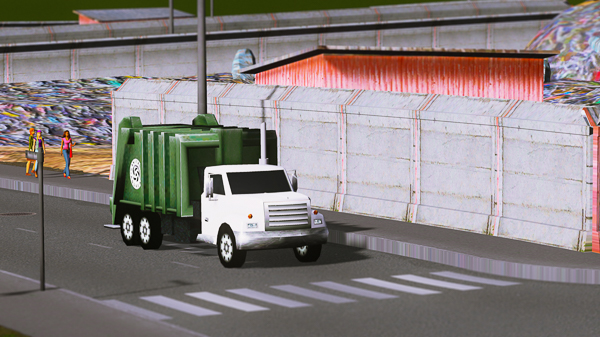
The truck will now be spawned at the landfill site and begin to drive towards the building to collect the trash.
Collecting the garbage and coming home#
The truck is now comfortably driving to the building. CarAI (the base class of GarbageTruckAI) calls this.ArriveAtDestination (virtual in VehicleAI and implemented in GarbageTruckAI) from its SimulationStep. ArriveAtDestination then calls ArriveAtTarget (or ArriveAtSource, but here it’s arriving at the target)
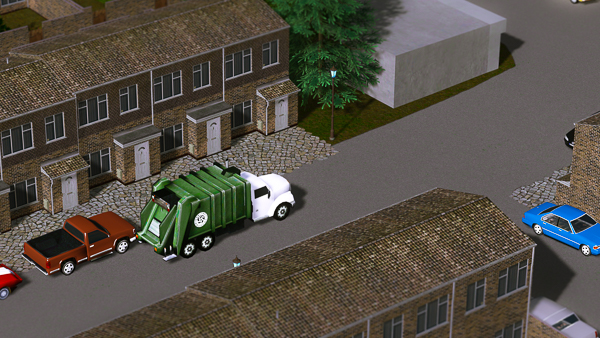
The truck then calculates how much garbage it needs to collect (it can also drop off garbage at the target if transferToTarget, the last parameter in CreateVehicle, was true) and uses the BuildingManager to reduce the garbage at the building. The truck also calculates how much garbage it’s now carrying, as well as clearing the target.
BuildingAI building = buildingManager.m_buildings.m_buffer[(int) data.m_targetBuilding].Info.m_buildingAI
building.ModifyMaterialBuffer(
  data.m_targetBuilding,
  ref instance.m_buildings.m_buffer[(int) data.m_targetBuilding],
  (TransferManager.TransferReason) data.m_transferType,
  ref amountDelta
);

if (transferringToTarget) {
  data.m_transferSize = (ushort) Mathf.Clamp((int) data.m_transferSize - amountDelta, 0, (int) data.m_transferSize);
}

this.SetTarget(vehicleID, ref data, (ushort) 0);
SetTarget checks if the vehicle has the TransferToSource flag set, and if so, sets the flag GoingBack. The method StartPathFind is then called, which checks for the GoingBack flag and then starts the journey back to the landfill site.
When the truck arrives at the landfill, ArriveAtSource is called, which checks for the TransferToSource flag and uses the BuildingManager again to transfer the garbage material from the truck into the landfill.
The vehicle then gets released, marking the end of this round-trip. The garbage has been collected and deposited at the landfill site!
How close is close enough?#
The optimal distance for a given TransferReason is calculated like so:
float distanceMultiplier = TransferManager.GetDistanceMultiplier(reason);
float optimalDistance = (double) distanceMultiplier == 0.0 ? 0.0f : 0.01f / distanceMultiplier;
As you saw in the matching loop, once a candidate is both the best seen so far and closer than optimalDistance, the search ends early and that pair is taken. It’s a “good enough” threshold, not a cut-off - offers farther away still match, just only when nothing closer is available.
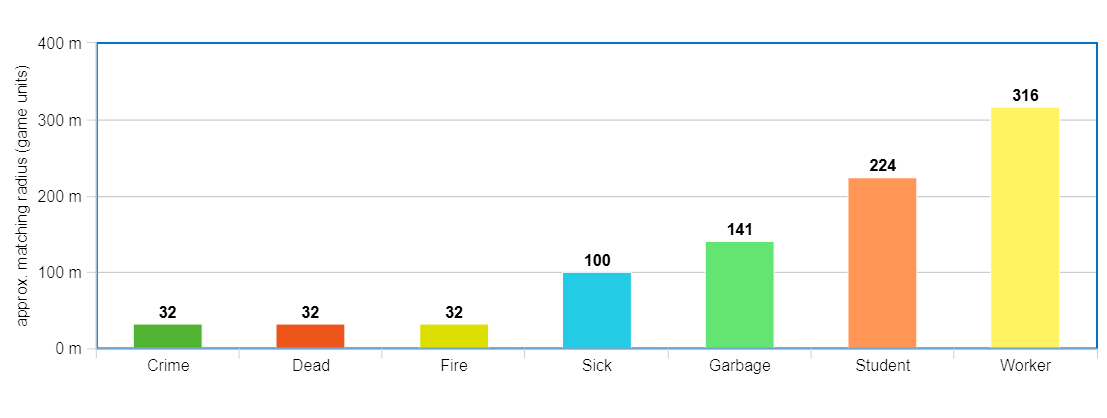
The formula above doesn’t give a distance, but rather a squared distance. The graph below plots its square root, the actual radius in game units:
The radius is even coarser than it looks, because an offer’s Position isn’t stored exactly. It’s quantised to a single byte per axis (see earlier bit-packing section in “How offers get stored”) on a 37.5-unit grid. This 37.5-unit grid covers the 5×5-tile vanilla playable world exactly (256 cells × 37.5 = 9,600 units, ±4,800 from origin), but the underlying terrain covers a 9×9 tile area (±8,640). A second, coarser grid exists: past ±4,800 units, a flag bit flips X/Z to a 270-unit grid that spans the whole terrain, so outside-connection offers (which are placed at the terrain edge) end up quantised roughly 7× more loosely than in-city offers.
For the short-range emergency services, this is striking. Crime, Dead and Fire have a “good enough” radius of about 32 units - smaller than a single 37.5 unit cell. At that range, the early exit effectively means “same or adjacent cell” - any finer distinction is invisible to the matcher. That’s why, when several stations sit within roughly a cell of each other, the dispatched police car, hearse or fire engine doesn’t necessarily come from the literally-closest station. At that resolution, the matcher can’t tell them apart, so it takes the first good-enough one it finds.
Conclusion#
One of my favourite things to do in Cities: Skylines is, once my city has grown a bit, to watch the people within the city going about their daily life. It can be fascinating to see the huge variety of things going on - to see industrial buildings supplying other industrial buildings to eventually supply your shops, for people to then visit those shops, and for tourists to wander through the city’s attractions. The organic nature of their journeys and activities keeps the game constantly fresh and exciting.
After digging into how all this works under the hood, my appreciation for it has only grown. Almost every one of those interactions runs through the same simple primitive: a typed offer, a priority, and a single matching algorithm. The system has room for 128 TransferReasons, and the current version of the game defines 123: 61 shipped in the base game, and 62 added through DLC since.
That’s the bigger lesson for me. One well-designed abstraction - invest in it once, get compound returns across the product as new gameplay, expansions, and content get layered on top. It’s the kind of leverage that’s easy to want and hard to actually build.
Either way, I’m looking forward to booting up Cities: Skylines again - this time with just a little more appreciation for how much complexity goes into taking garbage from a house to a landfill site.
Thanks#
Thanks, of course, to Colossal Order for making such an enticing game that I simply had to figure out how it works. Thanks also to pcfantasy’s MoreEffectiveTransfer mod for giving me a great starting point to understand this.